
Good organization habits at work not only create a tidy office environment but also greatly improve your work efficiency and professional image. Whether you work from home or in a company office, mastering effective organizational skills is an important step toward career growth. The following 24 tips will help you build a well-ordered workspace from multiple angles, allowing you to get more done with less effort.
1. Clearly Decide What Items Are Worth Keeping
The first step in organizing your workspace is learning how to sort through your belongings. A cluttered desk directly affects your focus and efficiency. It’s recommended to:
- Take everything out from your desk and drawers for a complete inventory;
- Categorize items into “Must Keep,” “Not Needed,” and “Unsure”;
- Properly store the items you must keep, discard what you don’t need decisively;
- Set aside “unsure” items in a designated box for observation, and clear them out after a certain period.
This not only reduces clutter but also sharpens your judgment, preventing accumulation of useless burdens.
2. Follow the Three Key Principles of Office Organization

When organizing your desk and workspace, simple principles make execution easier. Arrange items according to:
- Essential items placed visibly on your desk for easy access;
- Frequently used items within arm’s reach to avoid getting up;
- Rarely used items stored further away to save space.
By planning the placement of items according to your work habits and movements, you can drastically reduce search time.
3. Commit to a Quick Daily Tidy-Up
Spend 3-5 minutes daily to tidy your desk and workspace, making cleanliness a routine. Doing this at the start of your workday refreshes your environment and helps you better plan and focus on your tasks.
4. Use Vertical Storage to Save Space
Vertical storage isn’t just for clothes—pens, documents, and stationery work well too. For example, place pens upright in holders and files in vertical file racks. This saves desktop space and keeps documents neatly arranged.
Use different colors and labels on file racks to manage categories more easily.
5. Clearly Zone Your Desk
Divide your desk into functional zones such as stationery, documents, and computer area. Each item has a fixed spot, and once used, should be returned promptly. This avoids repeated searching and improves workflow.
6. Add Dividers in Drawers to Segment Space
For desks with drawers, install dividers available from online shops or office supply stores. Dividers slightly shorter than drawer depth prevent items from piling up messily. Keep frequently used items near the front and less-used ones further back for efficiency.
7. Keep One Empty Drawer as a “Temporary Storage”
Reserve one drawer to hold unfinished or pending files. This helps you quickly grasp your current work priorities, prevents important documents from being overlooked, and keeps your desk tidy.
8. Manage Your Bag to Travel Light
Regularly clear out your bag of unnecessary items. Carry only the essentials needed for the next workday. Use internal compartments and small pouches to organize, minimizing search time and avoiding loss.
9. Organize Chargers, Cables, and Electronic Accessories
Store cables and chargers in dedicated small bags or trays to prevent tangling and loss. Separate cables by type in labeled pouches for easy retrieval.
10. Categorize Paper Documents by Progress Stage
Sort paper files according to these stages:
- Unprocessed;
- In progress;
- Under review;
- Completed;
- Archived.
Organizing by stage keeps workflow orderly and prevents oversight.
11. Use Transparent Document Sleeves for Secondary Sorting
A4 transparent sleeves are workplace essentials. Group similar documents in sleeves with external labels, then place them in larger folders. Managing paper files this way is as simple and efficient as computer folders. Single sheets should also be protected with sleeves.
12. Label Files for Quick Identification
Use label stickers on the top right corner of file sleeves to clearly display contents. Labels can include client names, project titles, etc., reducing time spent searching.
13. Use Color Coding to Enhance Visual Recognition
Choose 3 colors of labels or folders representing different categories. Clear color distinctions help you quickly identify and retrieve files. Avoid too many colors to keep it simple and memorable.
14. Keep Latest Files Within Reach for Efficiency
Place the most current files at the easiest-to-reach spot, gradually pushing older files back. This method facilitates workflow and makes it easier to clear out outdated documents regularly.
15. Regularly Clear Out Obsolete Files to Avoid Backlogs
Establish a fixed schedule to discard outdated files. Identify which files to keep and their storage locations. Developing good file management habits prevents clutter buildup.
16. Manage Invoices to Prevent Loss and Confusion
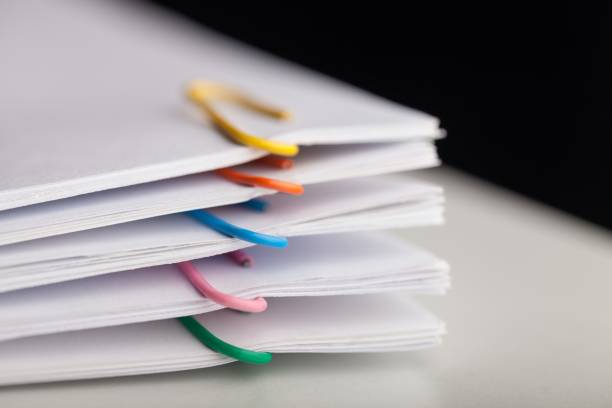
Invoices tend to get mixed up. Remove them immediately upon receipt, sort by date, clip with paper clips, place in labeled sleeves, and keep records for easy future verification.
17. Make Full Use of Notebooks to Strengthen Planning
Record new tasks and schedules immediately. Keep your notebook close by for quick reference and adjustments, boosting your time management.
18. Apply the “5W2H” Method in Your Notes
The “5W2H” stands for Why, What, Who, Where, When, How, and How Much. Use it to guide your note-taking, ensuring complete and precise information, reducing communication errors.
19. Use Colors to Differentiate Note Content
Highlight tasks by urgency and category using different colored pens or highlighters for easy priority adjustments. Use sticky notes for temporary tasks that can be moved or edited.
20. Improve Writing Efficiency with Symbols and Abbreviations
Use shorthand, symbols, and highlighting to make notes concise and clear, saving time and making later reviews easier.
21. Visualize Work Tasks to Avoid Omissions
Write one task per sticky note and arrange related tasks on a whiteboard or notebook by category. This visual helps clarify task relationships, optimize scheduling, and reduce errors.
22. Capture Inspiration Instantly with Sticky Notes
Write down sudden ideas right away, no matter the size or timing. Record everything first, then organize later. Colorful sticky notes stimulate creativity.
23. Quickly Record Good Ideas in Your Notebook
Immediately jot down flashes of inspiration from work or life. Use arrows, circles, or sketches to enhance clarity. This is often faster and more flexible than electronic devices.
24. Write a Three-Line Daily Journal to Relieve Stress
Write three short lines daily summarizing your day: first line for events, second for feelings, third for lessons learned. Journaling helps release emotions, adjust mindset, and prepare for a better next day.
Workplace organization is not just about tidying your physical space but upgrading your working methods and mindset. By gradually implementing these tips daily, you’ll find your efficiency and professionalism noticeably improve, making work easier and more enjoyable. Once formed, organizing habits become a powerful booster for your career success!